What we solved
Ministry teams wanted a single mobile app where followers could learn about faith, test recall with quizzes, watch training videos, and talk to each other - without juggling three tools. Two constraints mattered: quiz content had to stay editable by non-engineers (ministry leaders, not developers), and sign-in had to work for users who might not have an email but always have a phone. A full release cycle every time a quiz question changed was never going to fly. Over 3+ years of live operation the app has grown ministry teams (groups with invitees + progress tracking) and personal scorecards for tracking spiritual-conversation impact.
The system at a glance
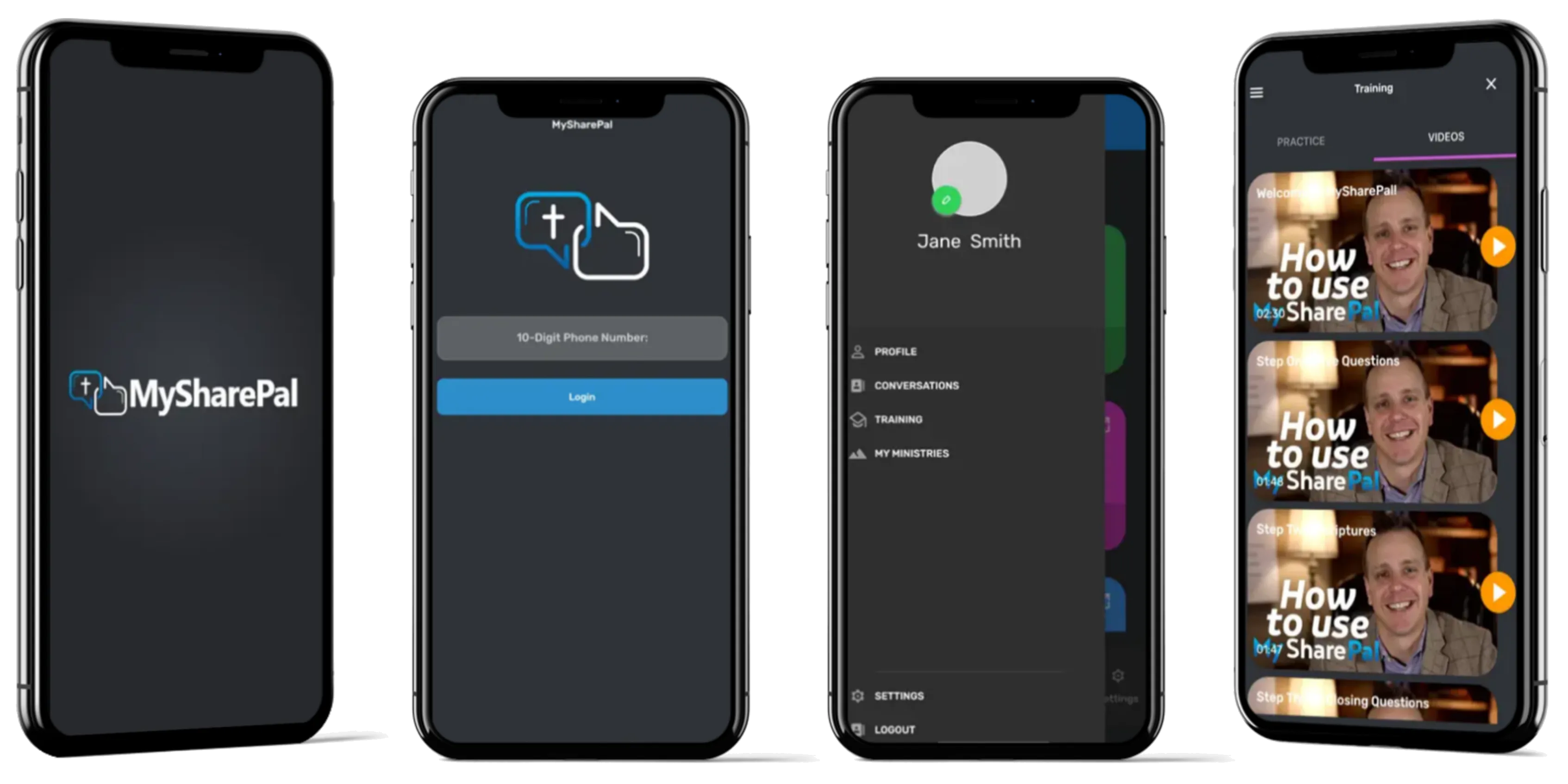
A Flutter app for iOS + Android (initial build on Flutter 1.x, currently on Flutter 3.3) with mobile-number OTP sign-in, a dashboard landing on chat + quizzes + settings, quiz content pulled live from a Google Sheet, training videos powered by Vimeo, and real-time messaging on Firestore. Ministry-team mode lets leaders create groups, invite members, and monitor collective progress. Shipped to App Store and Google Play; live at v4.3.6 (iOS) with continuous updates.
What the user experiences
- Open the app, enter a 10-digit phone number. OTP arrives. Signed in.
- Dashboard with three buckets: conversations, training videos, profile.
- Quizzes pull live from a Google Sheet - the ministry team updates questions in a spreadsheet, the app reflects changes on next launch.
- Training library shows categorised video cards; tap to play in the Vimeo player.
- Conversations are real-time Firestore chats between users and admins.
- Ministry teams: leaders create groups, invite members by phone, monitor collective progress.
- Personal scorecard tracks the impact of spiritual conversations for the individual user.
- Results can be shared - lightweight social loop.
How we built the pieces
Sign-in - OTP, not email
Firebase Mobile Auth handles the SMS OTP flow. No email verification, no forgotten-password screens. Users who don’t have (or don’t remember) an email still sign up and return.
Quiz content - Google Sheet as CMS
Instead of building an admin panel for quiz questions, the ministry team edits a Google Sheet. The app pulls through the Sheets API (or a simple CSV export served by a function) and renders. Changing a question takes 30 seconds and zero developers. A release only happens when the app code itself changes.
Training videos - Vimeo, not self-hosted
Video hosting, streaming, and analytics live on Vimeo. The app embeds the Vimeo player. Zero bandwidth cost on our infra, zero custom video code to maintain.
Chat - Firestore real-time listeners
User-to-admin and user-to-user messaging use Firestore with real-time listeners. The client library does the reconnection + offline queueing. No separate WebSocket backend.
Ministry teams - groups layered on the same data model
A ministry team is a Firestore document with members and a shared progress view. Firestore security rules scope who can read and write each team’s documents. One code path, layered permissions.
State management - GetX, small codebase
GetX handles state + navigation. For a small-but-real app that has been maintained for 3+ years, it keeps the code compact without pulling in a heavier framework.
The authoring loop is the hard part
Most “let our community edit content” apps die because they build a half-working CMS. MySharePal skipped the CMS entirely - Google Sheets is the CMS. Non-engineers already know how to use it. The engineering team spent that time on the pieces that actually move the needle: OTP auth, real-time chat, ministry teams, and Vimeo integration. The app has shipped continuously since 2020.
Results
- iOS + Android live from one codebase; maintained continuously since 2020.
- Current iOS version 4.3.6 (April 2023), English + Spanish.
- Mobile OTP sign-in working on both stores.
- Quiz content editable by ministry team without a release.
- Ministry teams + personal scorecards live.
What an engineering team should take from this
If your client’s content changes often and they are not developers:
- Google Sheets can be the CMS. For small, structured datasets (quizzes, product lists, announcements), the Sheets API beats a hand-rolled admin panel on both cost and usability.
- OTP via Firebase kills password-reset pain. Phone-first auth avoids the email verification loop entirely.
- Outsource video - Vimeo or Mux, never self-host for a small team.
Tech stack
- Mobile: Flutter (initial Flutter 1.x, current Flutter 3.3 - iOS + Android)
- Auth: Firebase Mobile Auth (OTP)
- Data + chat: Cloud Firestore
- Content source: Google Sheets API
- Video: Vimeo player
- State: GetX
Screens