What we solved
Putting GPT-4 in an app is easy. Shipping a GPT-4 app where your API key survives, your subscription survives, and your product voice survives is the hard part. Didier needed all three, on phones and iPads and the web, on one engineering team.
We built Didier as a voice-first, cross-platform AI assistant. Speak a question, get an answer. Ask for an image, get an image. Subscribe inside the app. Same codebase on Android, iPad, and web.
The system at a glance
One Flutter 3.7 codebase renders the UI everywhere - Android, iPad, web - and ships to the App Store and Play Store for phone users. A FastAPI backend proxies OpenAI GPT-4 calls so the API key never leaves the server. Native platform ASR turns voice into text before the prompt-engineering layer rewrites it and hands it to GPT-4. Subscriptions are handled through store billing for a freemium gate.
What the user experiences
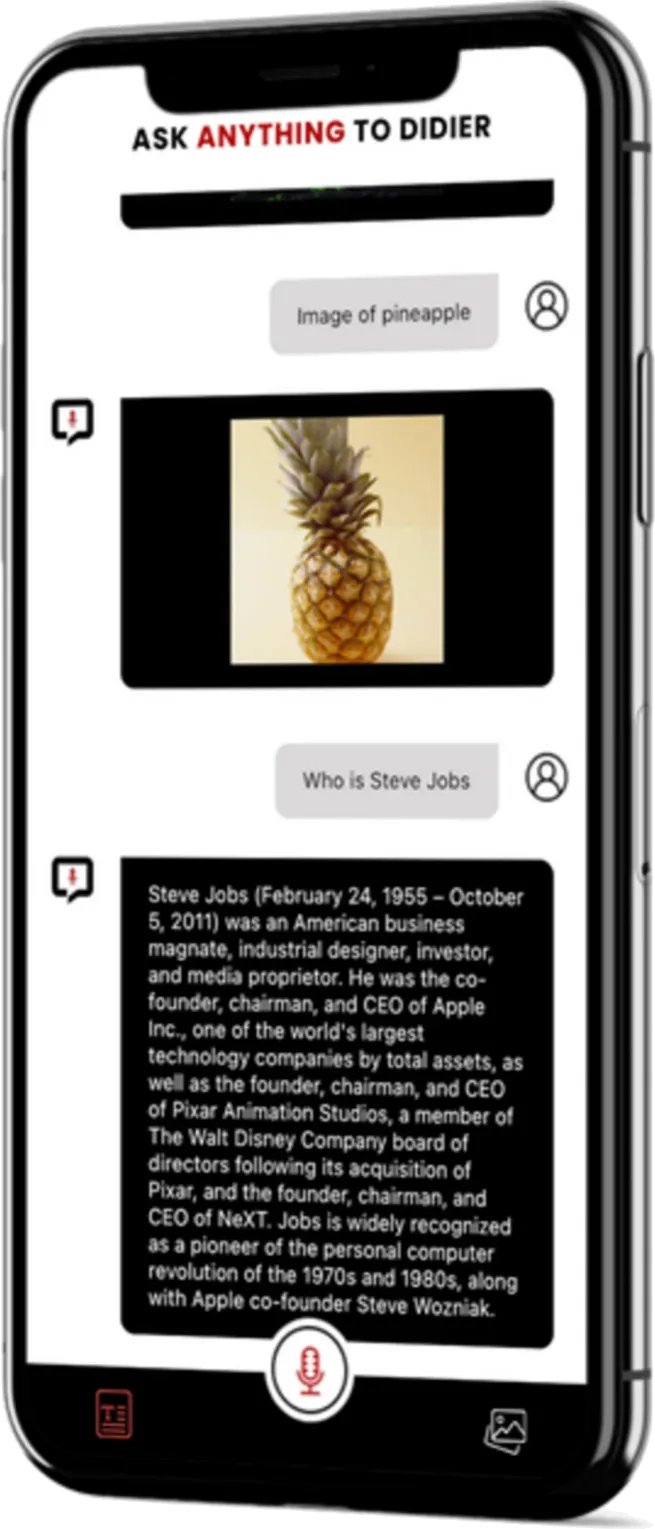
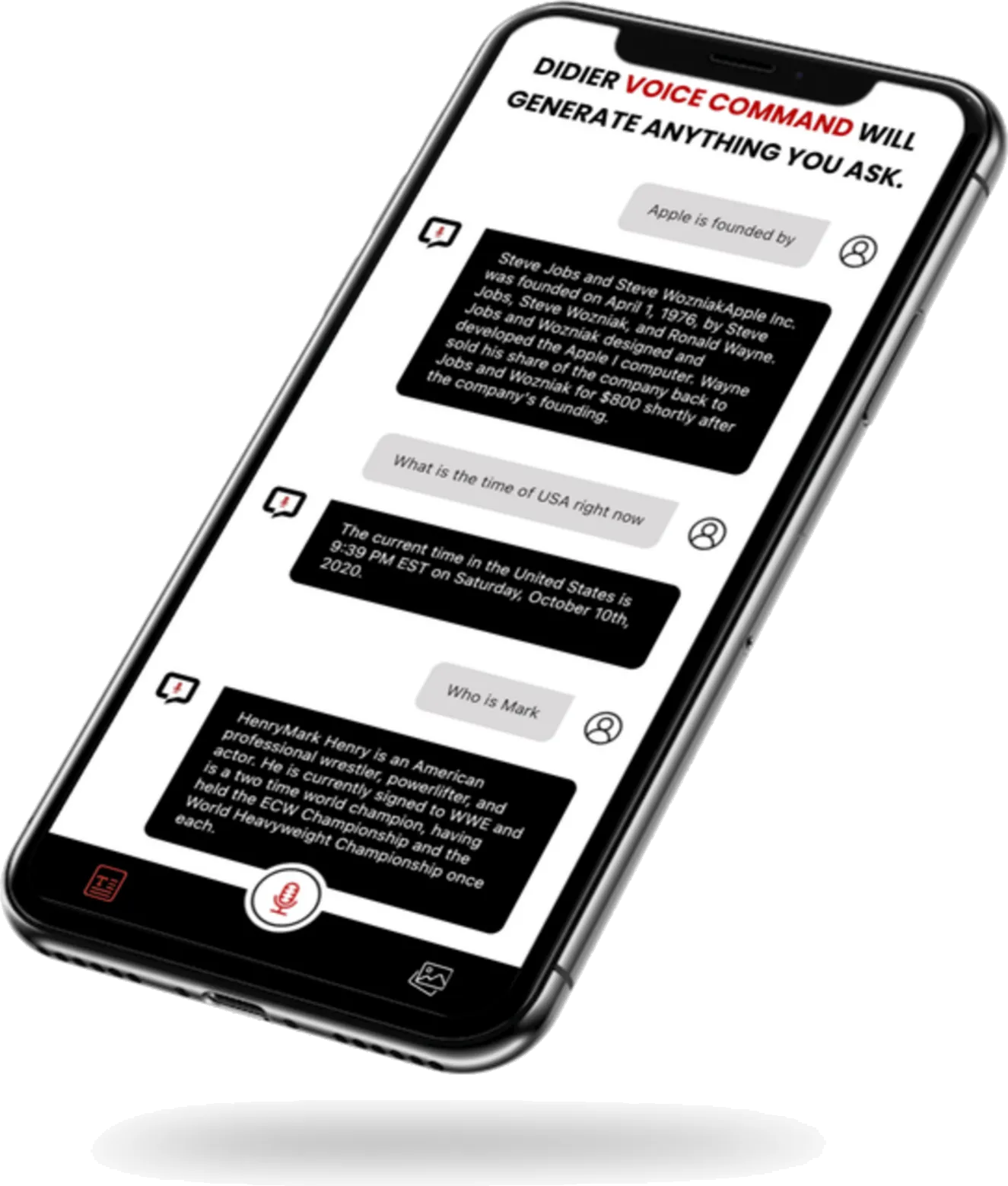
- Tap the mic. Speak a question: “Who founded Apple?”, “What is the time of USA right now?”, “Image of a pineapple.”
- The app transcribes the voice, forwards a cleaned prompt to GPT-4, and streams the response back into the chat.
- Image prompts (“Image of trees”) are routed to the image-generation endpoint and rendered inline; the user can download or share.
- A subscription dialog unlocks unlimited use after the free tier runs out.
How we built the pieces
Cross-platform from one codebase - Flutter 3.7
Android, iPad, and web ship from the same Dart codebase. One design language. One test matrix. One review cycle. iOS ships from the same codebase too, down-scoped for the App Store.
The reason this works for an AI app specifically: the UI is mostly a chat log and a microphone button, and Flutter’s rendering pipeline handles that identically on three OSes. The team writes once, tests once, ships three times. That is weeks of compounded savings on every feature.
AI integration - GPT-4 with a prompt layer in front of it
Didier does not hand raw voice transcripts to GPT-4. Raw transcripts are noisy: wake words, filler, cut-offs, ambient chatter. In front of GPT-4 we run a prompt-engineering layer that normalises the transcript, tags intent (question vs image-generation vs command), and injects the right system prompt. Answers come back focused instead of rambling.
The image path hits OpenAI’s image-generation endpoint and pipes the result into the same chat view, so the user does not switch screens to generate and download.
Voice input - native platform ASR
The client requirement called out accents, languages, and speech patterns. We use the device’s native speech-recognition APIs (Apple Speech on iOS, SpeechRecognizer on Android) - no third-party SDK bloating the bundle, and the platforms already handle the long tail of locales. The UI shows the transcript inline so the user can catch a misheard word before the AI answers the wrong question.
The API-key problem
The named challenge in the client’s own case study: securely storing the OpenAI API key. The wrong answer - shipping the key in the mobile bundle - is the answer that leaks your rate limit and your money on day one. The right answer is a FastAPI backend proxy: the app authenticates the device to our server, our server holds the OpenAI key, and the key never lives in APKs, IPAs, or web bundles where anyone can decompile it.
This is the difference between a weekend project and a product that can take a subscription payment.
Subscriptions - freemium, one SDK
Free access with rate limits, paid access without. Store billing is wrapped by a single SDK covering App Store + Play Billing, with webhooks letting the backend know in real time whether a user should be rate-limited.
What keeps Didier out of wrapper territory
“GPT wrapper” apps die when OpenAI ships a feature (voice mode) or raises a price. Didier is resilient for three reasons:
- The API key is server-held, so we can swap providers without shipping an app update.
- The prompt layer is ours, so we can switch models (GPT-4 → GPT-4o → Claude → whatever) behind it without retraining users.
- The UI runs on one codebase, so any new surface - a voice-only mode, an image gallery, a shortcut - ships to every platform at once.
Results
- Four surfaces built: Android phones, iPads, the web, and iOS (via App Store build).
- One Flutter codebase; three deploys; no per-platform rewrites.
- Voice to transcript to prompted GPT-4 to streamed response: the whole chain live in production.
- Image generation inline in the same chat.
- Freemium subscription gating in place.
What the client said
“Techy Panther’s collaboration on developing the Didier-AI Chat Application was exceptional. Their expertise in Flutter, API integration, and AI technologies resulted in a user-friendly chatting experience. Their attention to detail, professionalism, and commitment to quality made them a valuable partner in bringing this innovative app to life.”
- Didier AI, client
What an engineering team should take from this
If you are about to build an LLM-backed consumer app, these are the three things worth copying from Didier:
- API key on the server, never in the bundle. If you remember nothing else, remember this.
- Prompt-engineering layer as a first-class component. Treat it like middleware. Version it. Log it. Swap models behind it.
- Pick one UI framework for every platform. Flutter is the one we default to for this pattern; the point is to not run three teams for one product.
Tech stack
- Cross-platform UI: Flutter 3.7 (Android, iPad, web; iOS via App Store)
- AI: OpenAI GPT-4 for text, OpenAI image generation for image output
- Voice: Native platform ASR (Apple Speech / Android SpeechRecognizer)
- Prompt middleware: custom layer in front of GPT-4 for intent tagging and system-prompt injection
- Backend: FastAPI server proxy holding the OpenAI API key; per-device auth before any model call
- Subscriptions: store billing (App Store + Play Billing) via a single SDK wrapper
Screens
Related services
Built with Flutter App Development and AI Integration Services.